Introduction
Kyocera printers have the ability to create client profiles to quickly set the paper size, layout, color settings, etc. To use these profiles the printer driver must be configured to enable these custom profiles.
Configuring Printer to Enable Client Profiles
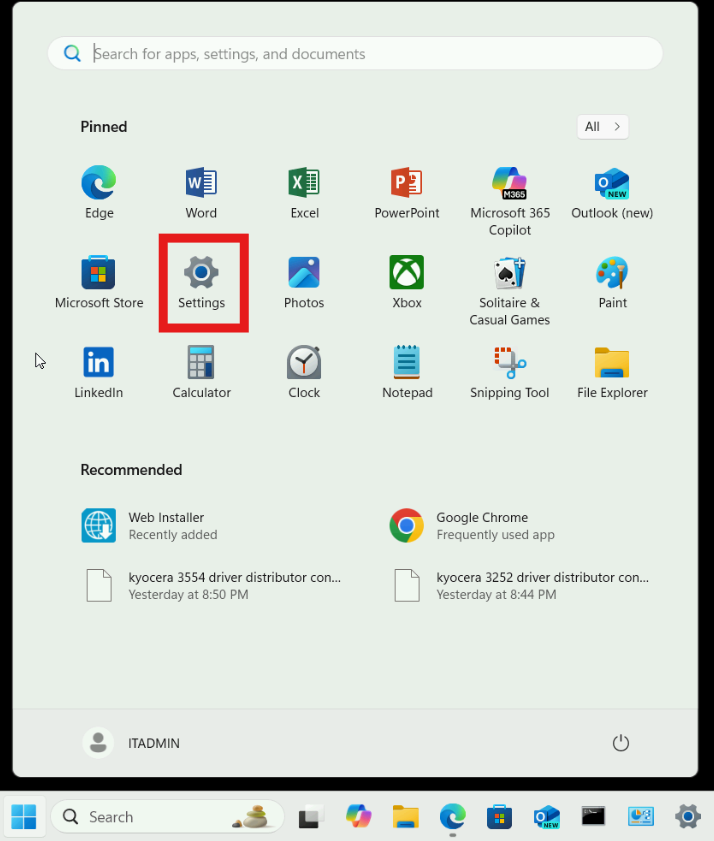
Step 1: Open Settings from the Start Menu
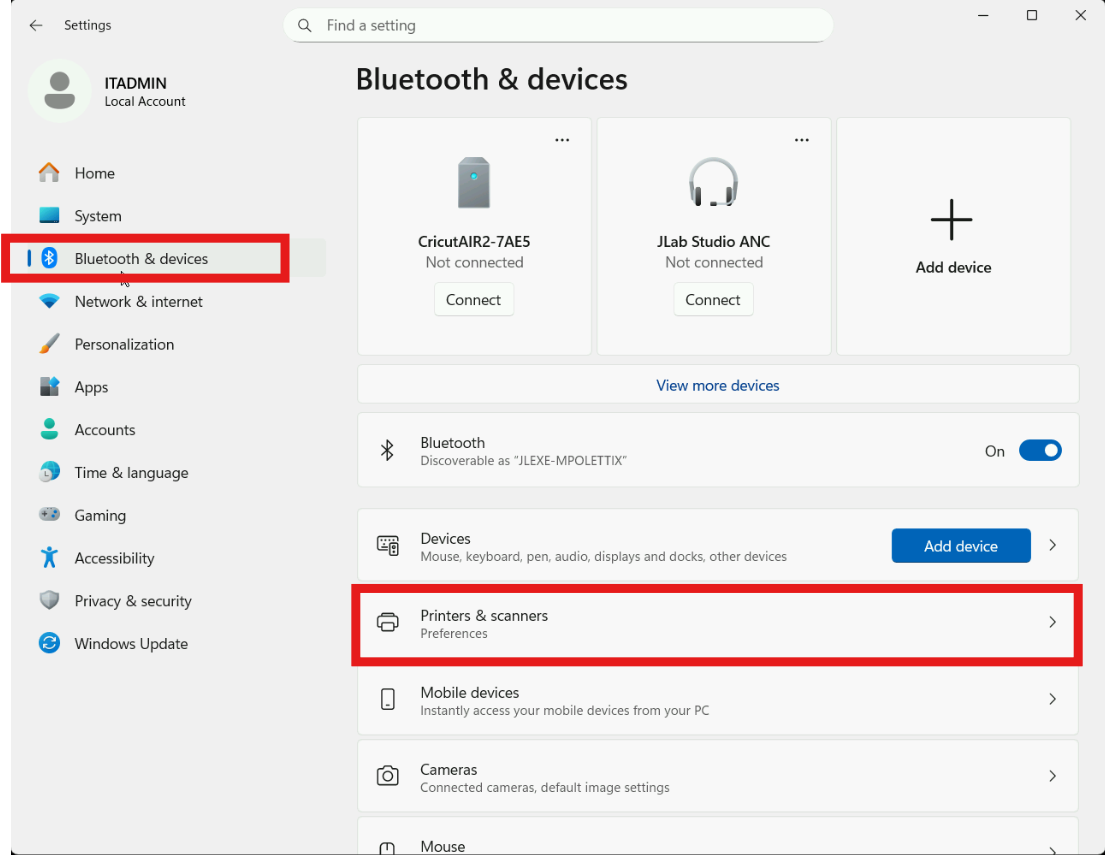
Step 2: Select the Bluetooth & devices menu and select Printers and Scanners
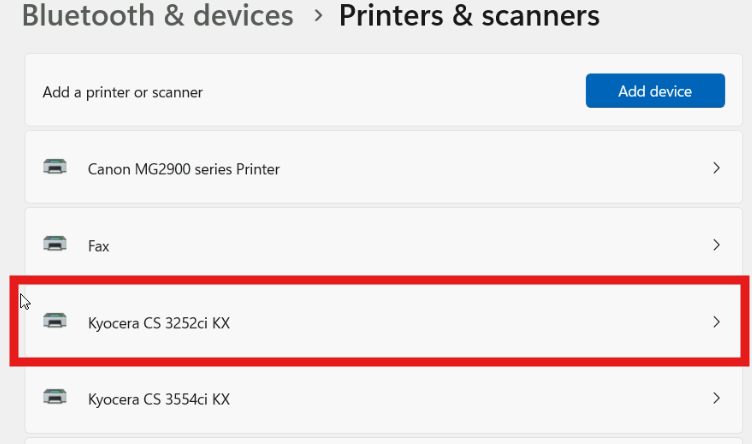
Step 3: Select the printer you would like to configure to print to a custom box
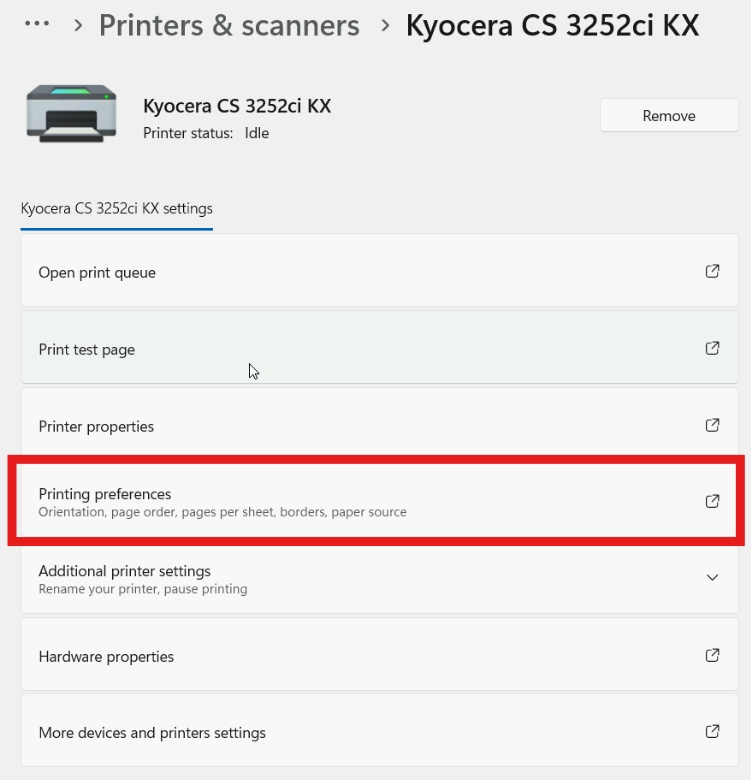
Step 4: Select Printing preferences
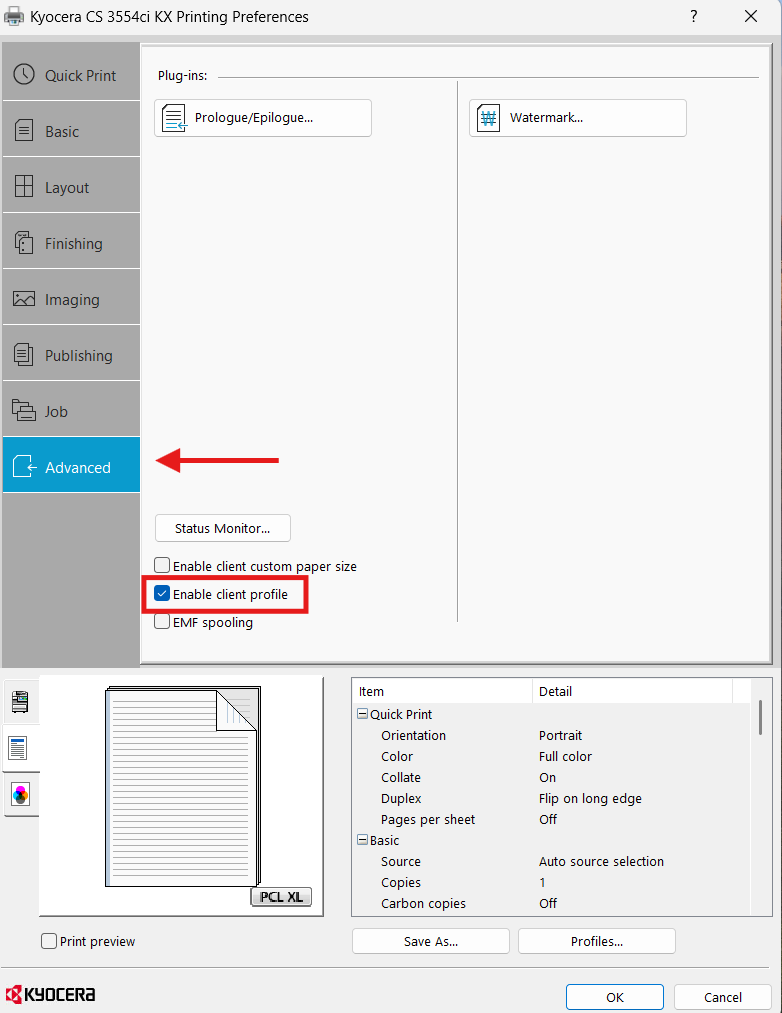
Step 5: Select Advanced and check the box for Enable client profile
Conclusion
You should now be able to configure, save, and use client profiles.
Was this article helpful?
That’s Great!
Thank you for your feedback
Sorry! We couldn't be helpful
Thank you for your feedback
Feedback sent
We appreciate your effort and will try to fix the article