TABLE OF CONTENTS
- Introduction
- Custom Box Setup
- Configuring Printer to Print to Custom Box
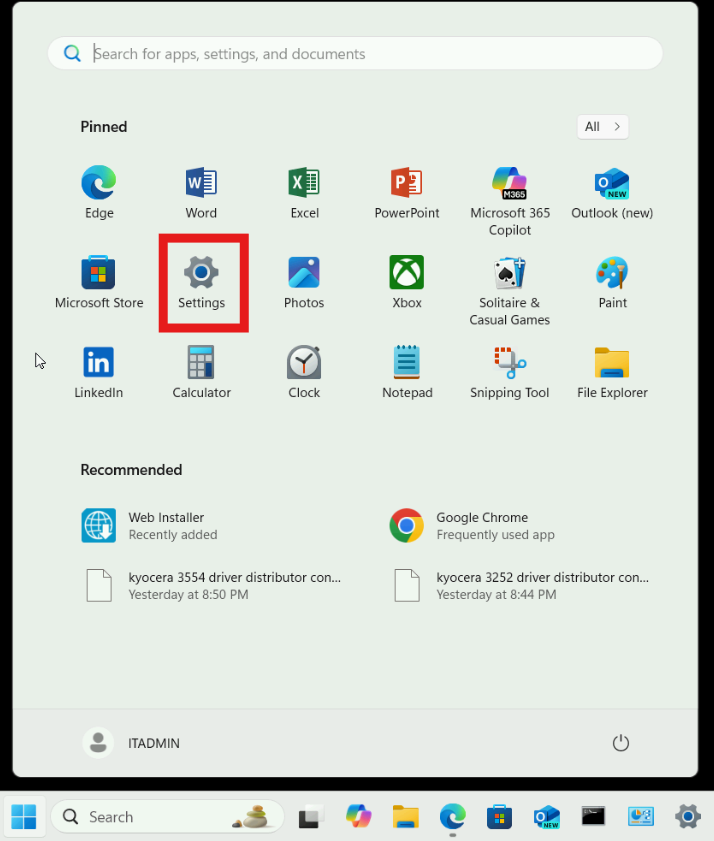
- Step 1: Open Settings from the Start Menu
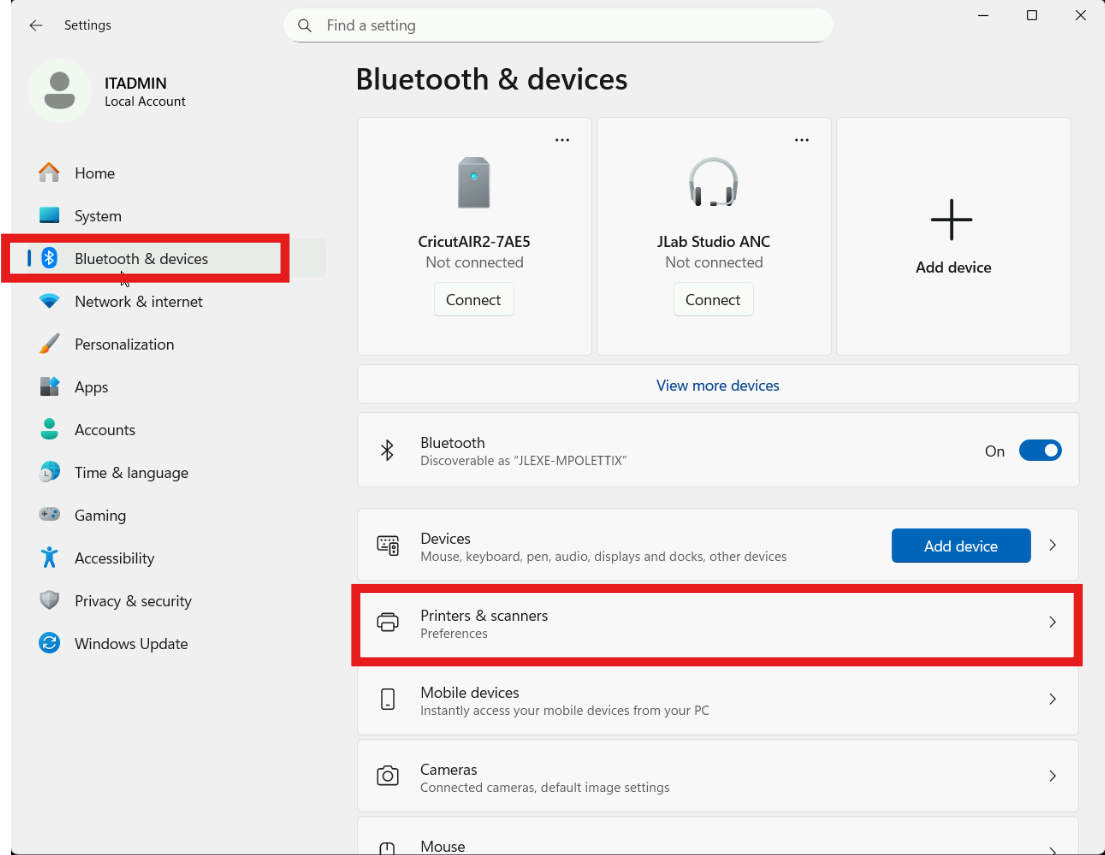
- Step 2: Select the Bluetooth & devices menu and select Printers and Scanners
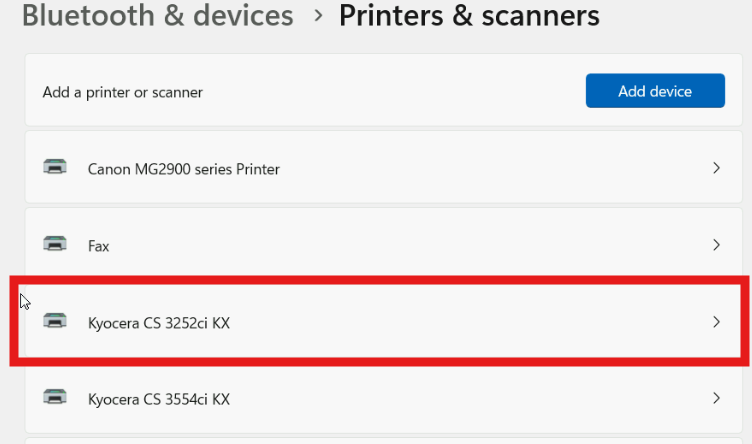
- Step 3: Select the printer you would like to configure to print to a custom box
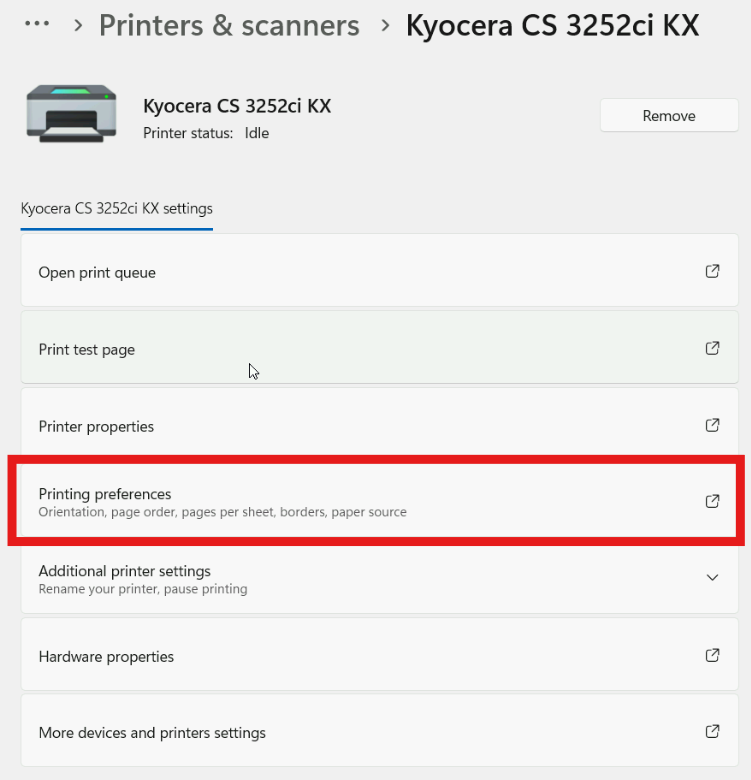
- Step 4: Select Printing preferences
- Step 5: Select the Job tab, check Job storage, and set the Type to Custom Box.
- Step 6: Click Settings
- Step 7: Enter your custom box number in the popup and Click OK.
- Conclusion
Introduction
Kyocera printers have the ability to hold documents in custom boxes so the documents are printed when the user is at the printer. To use a custom box, the box must be created on the printer, and the computer must be configured to print to the custom box.
Custom Box Setup
To print to your custom box, the box must be set up on the printer. To proceed, follow the next steps.
I don't currently have a custom box, or I don't know my custom box ID:
If you don't have a custom box set up, or don't know the ID number for the custom box, please Submit a Ticket.
I have a custom box, and I know the custom box ID:
Please proceed to Configuring Printer to Print to Custom Box
Configuring Printer to Print to Custom Box
To print to the custom box, the printer driver needs to be configured to direct print jobs to the appropriate custom box
Step 1: Open Settings from the Start Menu
Step 2: Select the Bluetooth & devices menu and select Printers and Scanners
Step 3: Select the printer you would like to configure to print to a custom box
Step 4: Select Printing preferences
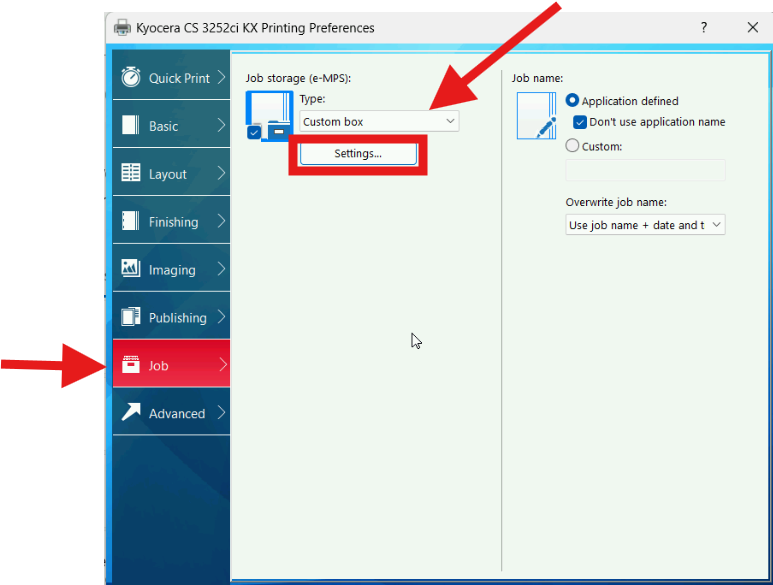
Step 5: Select the Job tab, check Job storage, and set the Type to Custom Box.
Step 6: Click Settings
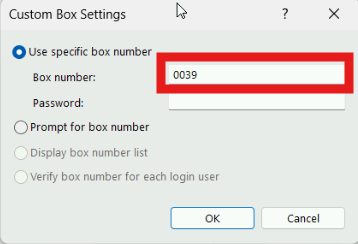
Step 7: Enter your custom box number in the popup and Click OK.
Conclusion
You should now be able to print to your custom box. Please submit a ticket if you need additional support.
Was this article helpful?
That’s Great!
Thank you for your feedback
Sorry! We couldn't be helpful
Thank you for your feedback
Feedback sent
We appreciate your effort and will try to fix the article